




UM34 UM34C for APP USB 3.0 Type-C DC Voltmeter ammeter voltage current meter battery charge measure cable resistance Tester Инструменты - купить
Специальная цена *
Категория товара: Voltage Meters

История изменения цены
Купить UM34 UM34C for APP USB 3.0 Type-C DC Voltmeter ammeter voltage current meter battery charge measure cable resistance Tester | Инструменты
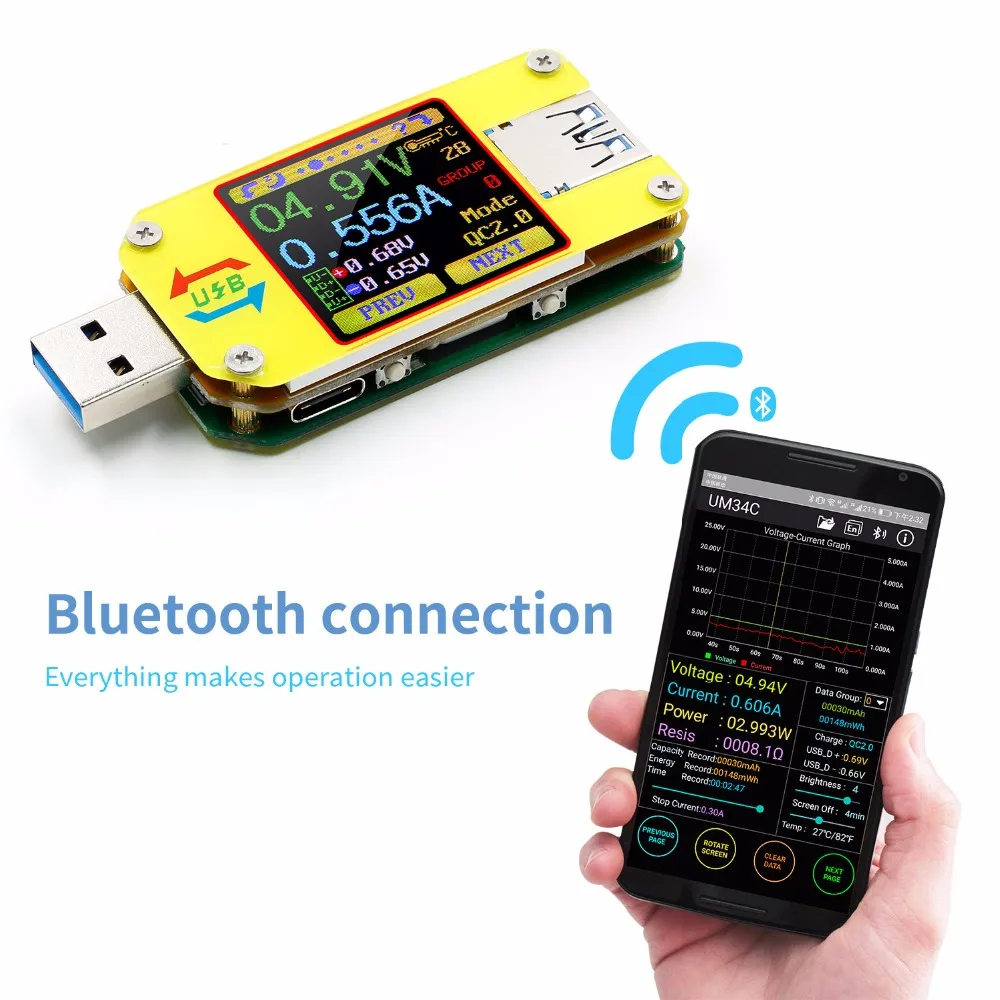
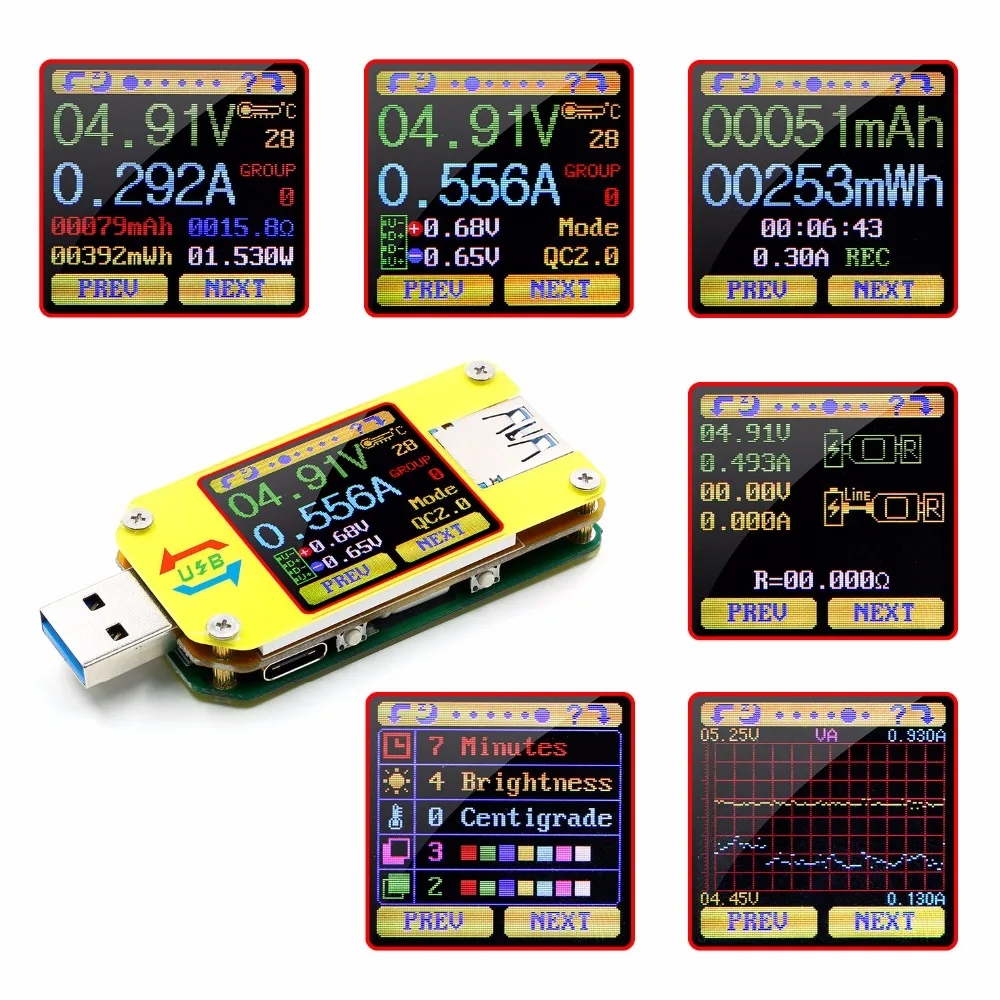
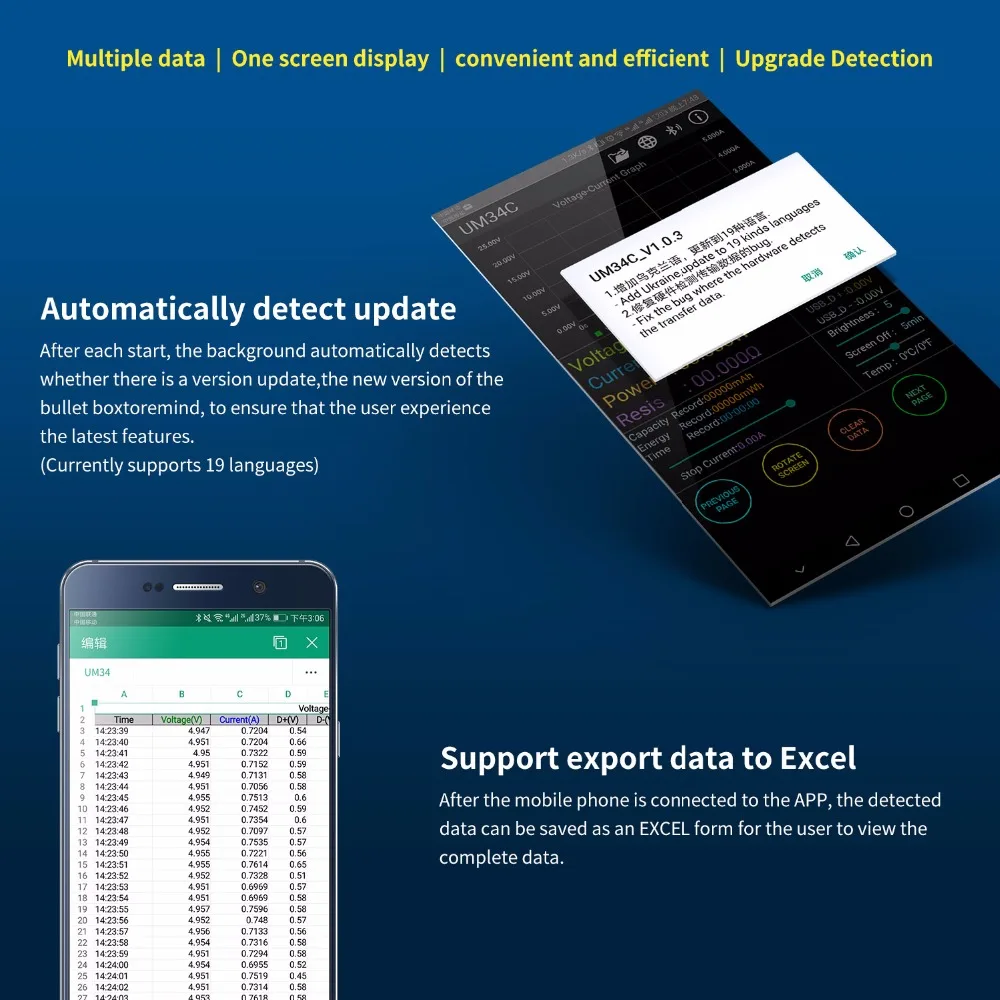
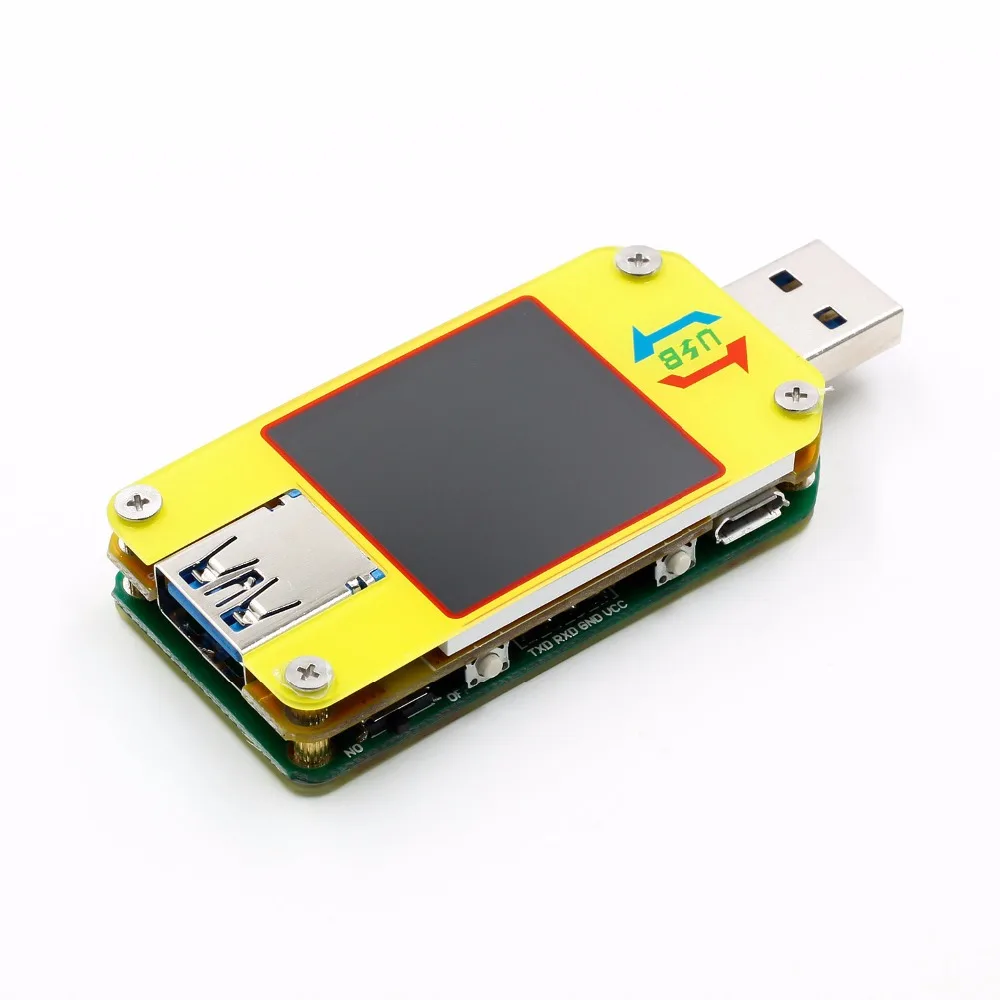
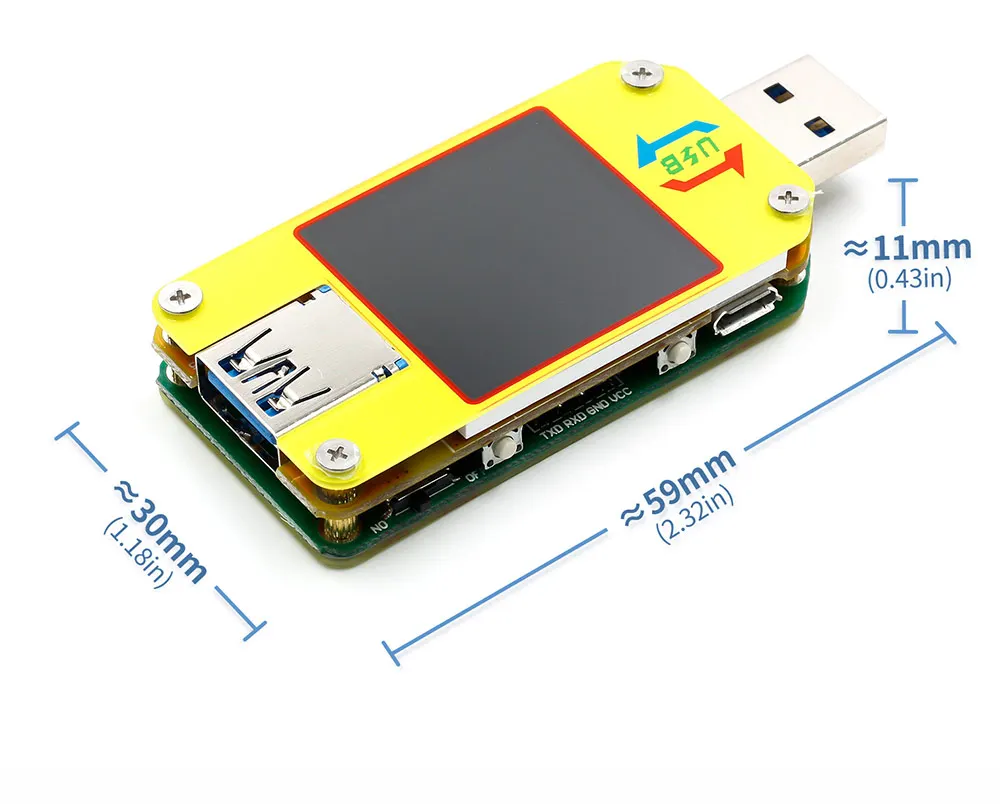
USB 2.0 Full-Color LCD Display Tester
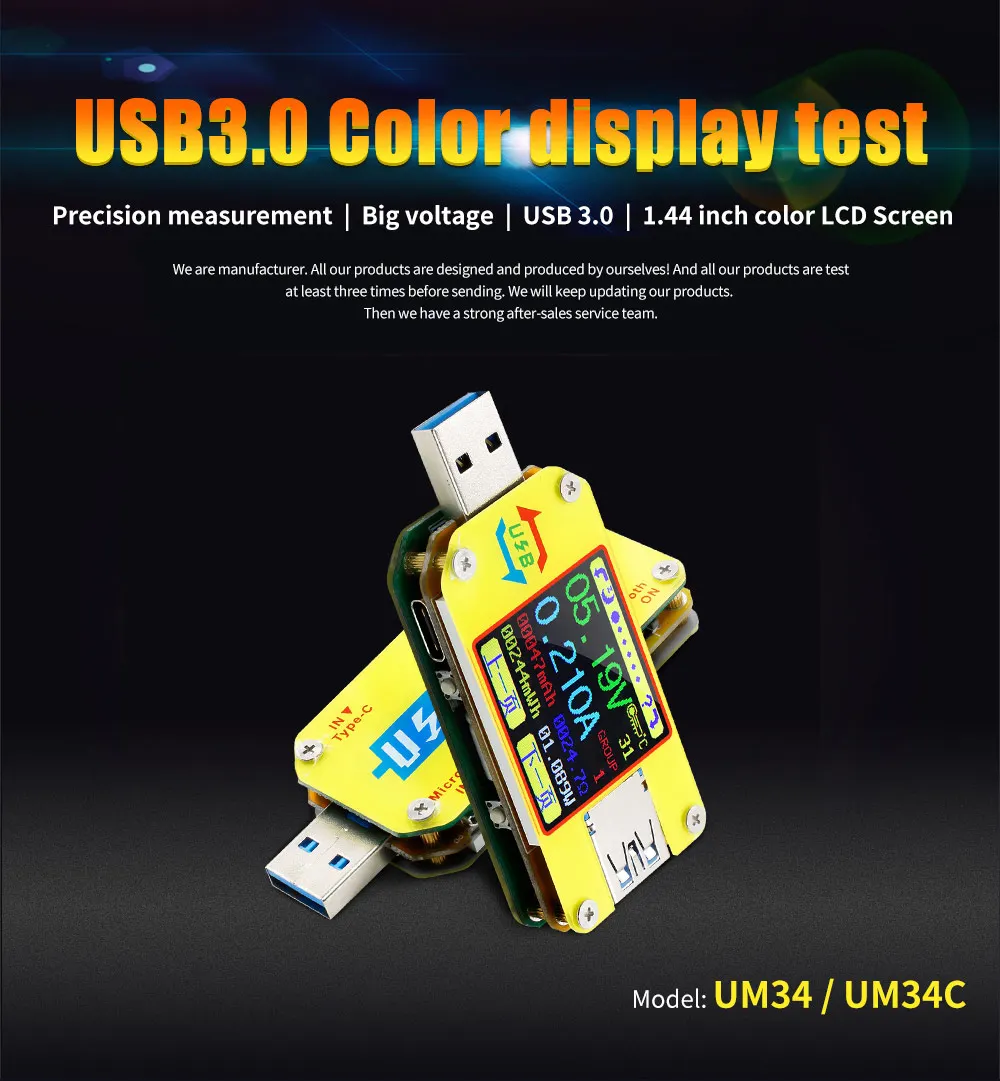
-Model : UM34/UM34C
Technical Parameter:
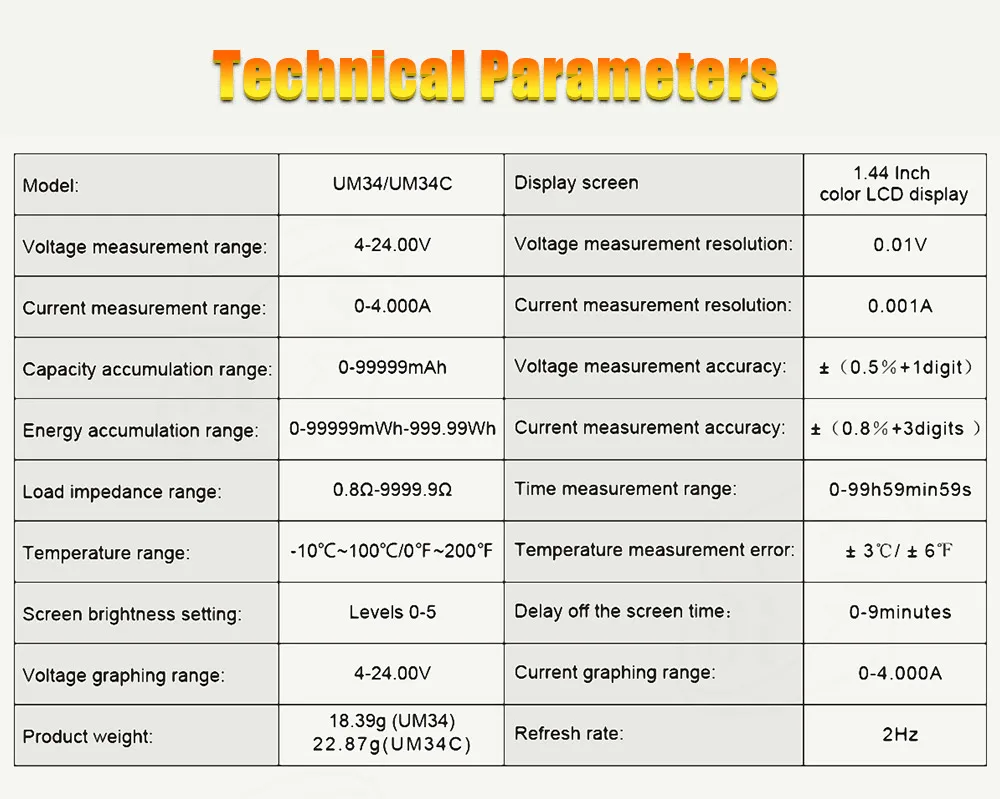
Product Model:UM34/UM34C Display screen:1.44 Inch color LCD display
Voltage measurement range:4-24.000V Voltage measurement resolution:0.01V
Current measurement range:0-5.0000A Current measurement resolution:0.001A
Capacity accumulation rannge:0-99999mAh Voltage measurement accuracy:±(0.2%+1digit)
Energy sccumulation range:0-999.99Wh Current measurement accuracy:±(0.8%+3digits)
Load impedance range:0.8Ω-9999.9Ω Time measurement range:0-99h59min59s
Temperature range:-10℃~100℃/0℉~200℉ Temperature measurement error:±3℃/±6℉
Screen brightness setting:0-5 levels Auto screen off time:0-9mins
Voltage graphing range:0-24.00V Current graphing range:-4.000A
Refresh rate:2Hz Quick charge recognition mode:QC2.0,QC3.0,APPLE 2.4A/2.1A/ 1A/0.5A,Android DCP,SAMSUNG
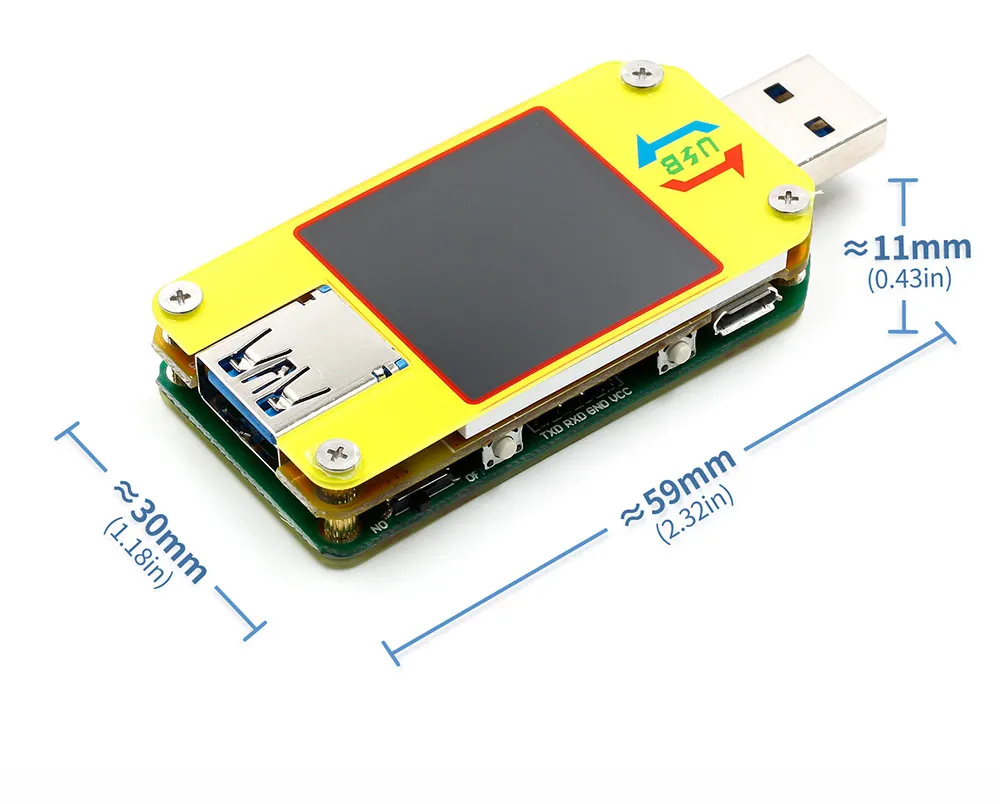
Product size:71.2mmx30.5mmx12.4mm(UM34C)/71.2mmx30.5mmx11.3mm(UM34)
| Product weight:22.87g(UM34C)/18.39g (UM34) | (No packaging);51.43g(UM34C)/46.95g (UM34)( With packaging) |
|
| |
Note:
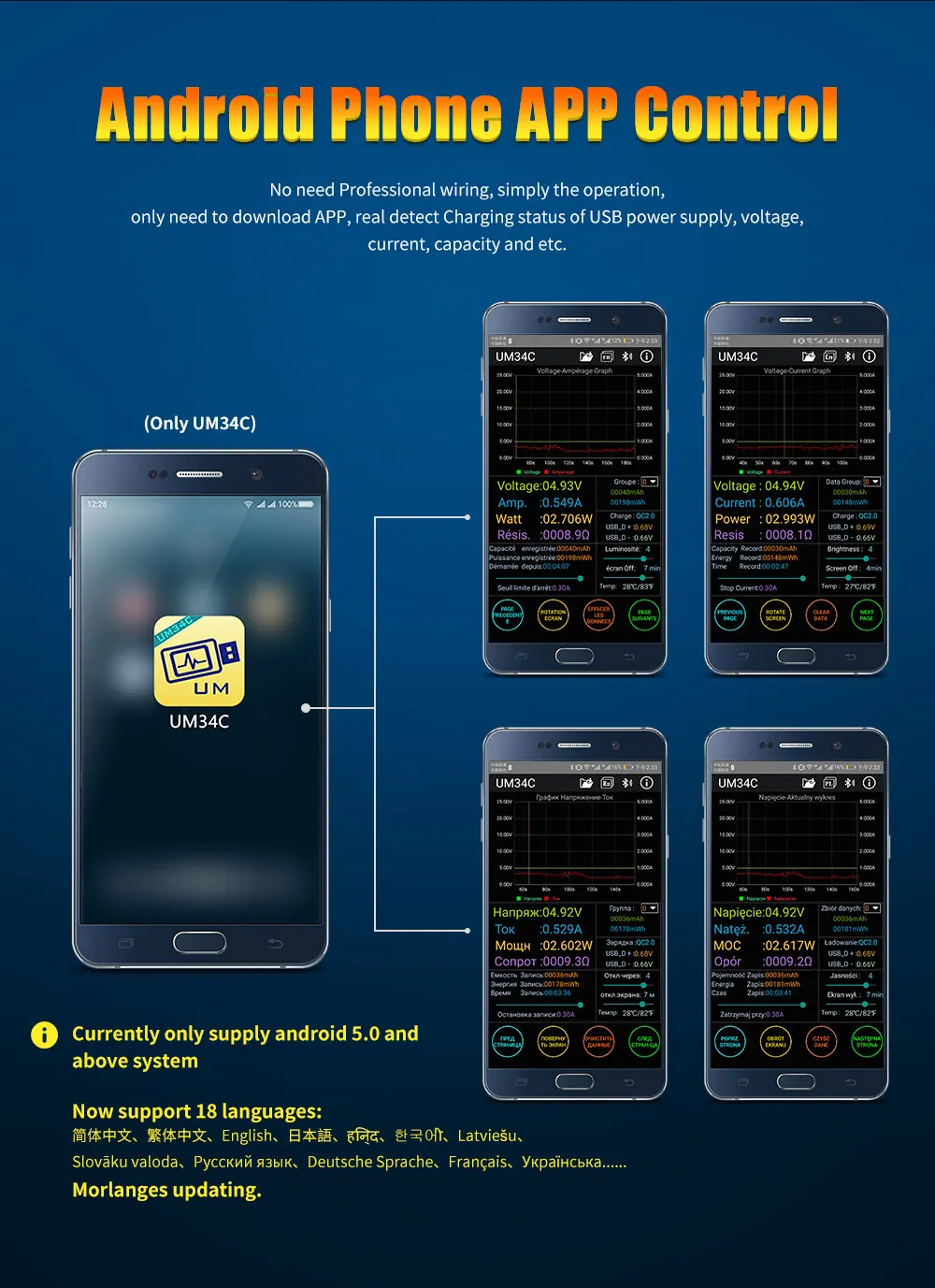
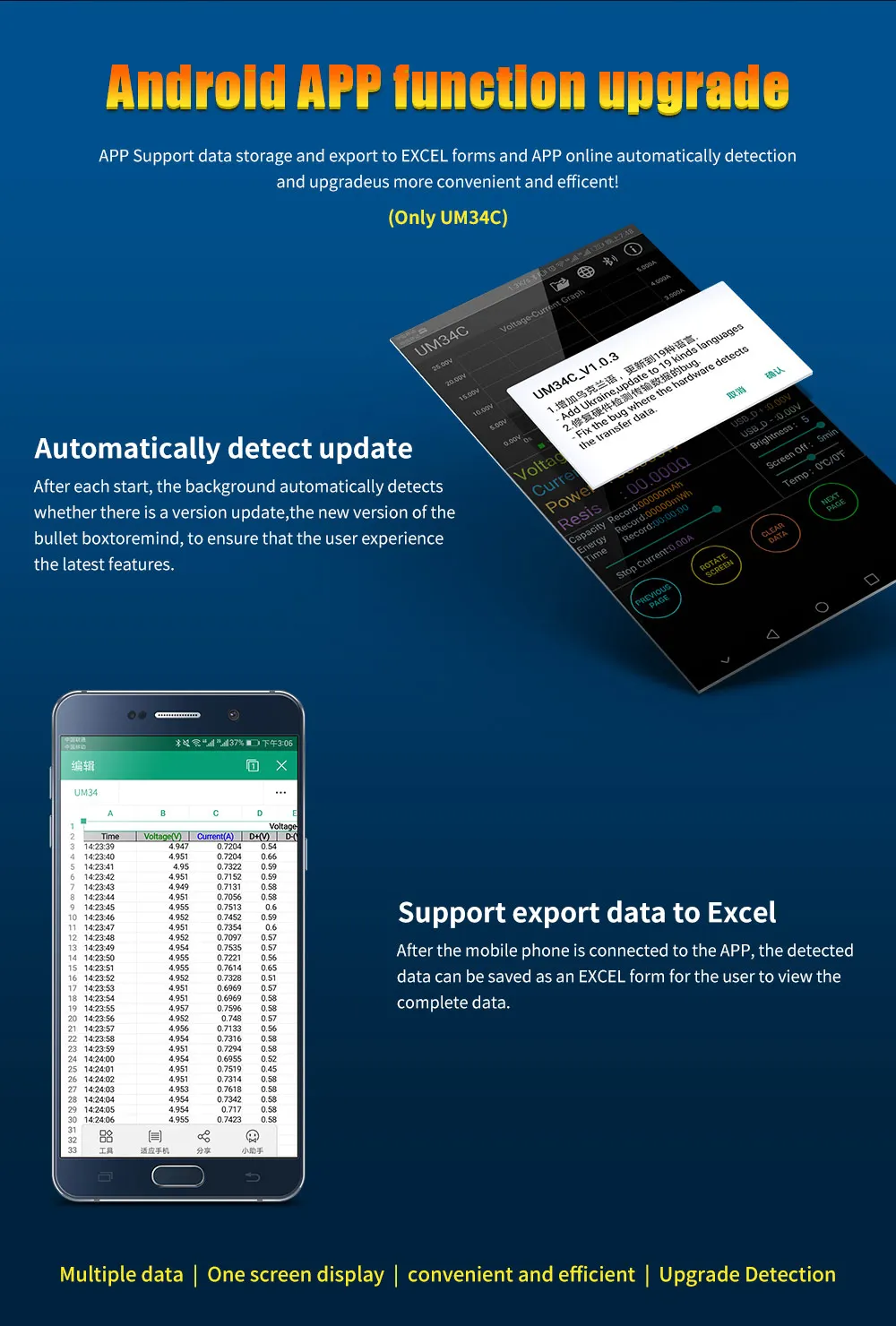
1. UM34 is no communication version, don't support any conmunication for PC and phone by anyway. UM34C is conmmunication version by Bluetooth connection. And UM34C don't have PC software , only have APP for android.
2. Phone Android (Android 5.0 and above, support 18 kinds language, chinese, english and Russia .... )
3, User manual and Android APP download link:http://www.mediafire.com/folder/5c877rc21tp1p/UM34
4. There are some incompatibility problem between some android phone and our bluetooth board, Please purchase carefully, such as Samsung NOTE8 / S8
5, For Android APP :
A: APP only support android 5.0 and above .
B: Allow APP to do in the background, not be cleaned.
C: allow APP self-starting.
D: Allow APP stay after screen locked, not be cleaned.
E, Type-c is just to measure , not support all Typ-c quick charge, not trigger
6. Description video : https://www.youtube.com/watch?v=zZCPJQrqKPU
customer test video : https://www.youtube.com/watch?v=Ns5Jw7O77Mc
APP test and other function introduction :
UM Series USB Colorful Screen Tester Difference Table:
| UM24(C) | UM34(C) | UM25(C) | |
| Product picture |  |  |  |
| USB port | USB2.0 | USB3.0 USB 3.0 port , support OPPO phone VOOC, OnePlus DASH | USB2.0 support Huawei quick charge |
| Expansion port | Micro USB | Micro USB/Type-C | Micro USB/Type-C |
| Special function |
| One button to close screen, voltage current 2in1 graph., free to set them color, Bluetooth switch, Previous page | |
| Screen | 1.44 inch color LCD display | ||
| Voltage measurement range | 4.5-24.00V | 4-24.00V | 4-24.000V |
| Current measurement range | 0-3.000A | 0-4.000A | 0-5.0000A |
| Voltage measurement resolution | 0.01V | 0.01V | 0.001V |
| Current measurement resolution | 0.001A | 0.001A | 0.0001A |
| Capacity accumulation range | 0-99999mAh | ||
| Energy accumulation range | 0-99999mWh | 0-99999mWh-999.99Wh | 0-99999mWh |
| Voltage measurement accuracy | ±(0.2%+1digit) | ±(0.5‰+2digits) | |
| Current measurement accuracy | ±(0.8%+3digits | ±(1‰ +4digits) | |
| Load impedance range | 1.5Ω-9999.9Ω | 0.8Ω-9999.9Ω | |
| Time measurement range | 0-99h59min59s | ||
| Temperature range | -10℃~100℃/0℉~200℉ | ||
| Temperature measurement error | ± 3℃/ ± 6℉ | ||
| Screen brightness setting | Levels 0-5 | ||
| Delay off the screen time | 0-9minutes | ||
| Voltage graphing range | 4.5V-24.0V | 4-24.00V | 4-24.00V |
| Current graphing range | 0.00A-3.00A | 0-4.000A | 0-5.000A |
| Refresh rate | 2Hz | ||
| Quick charge recognition mode | QC2.0 QC3.0 | QC2.0,QC3.0,APPLE 2.4A/2.1A/ 1A/0.5A,Android DCP,SAMSUNG | |
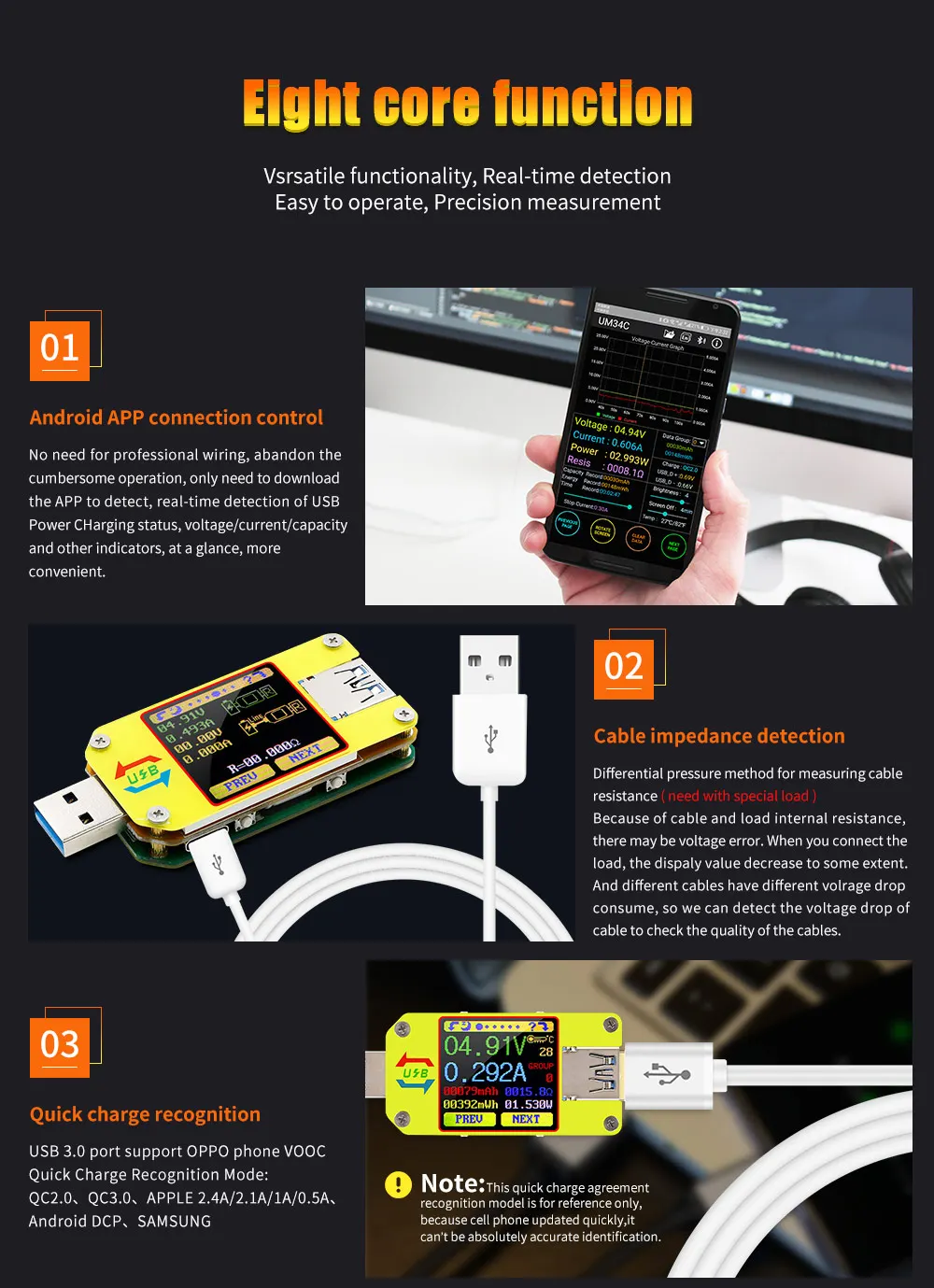
The Core Function:
| USB 3.0 port | Quick Charge Recognition |
| With Chinese and English help interface | Android Phone APP Control |
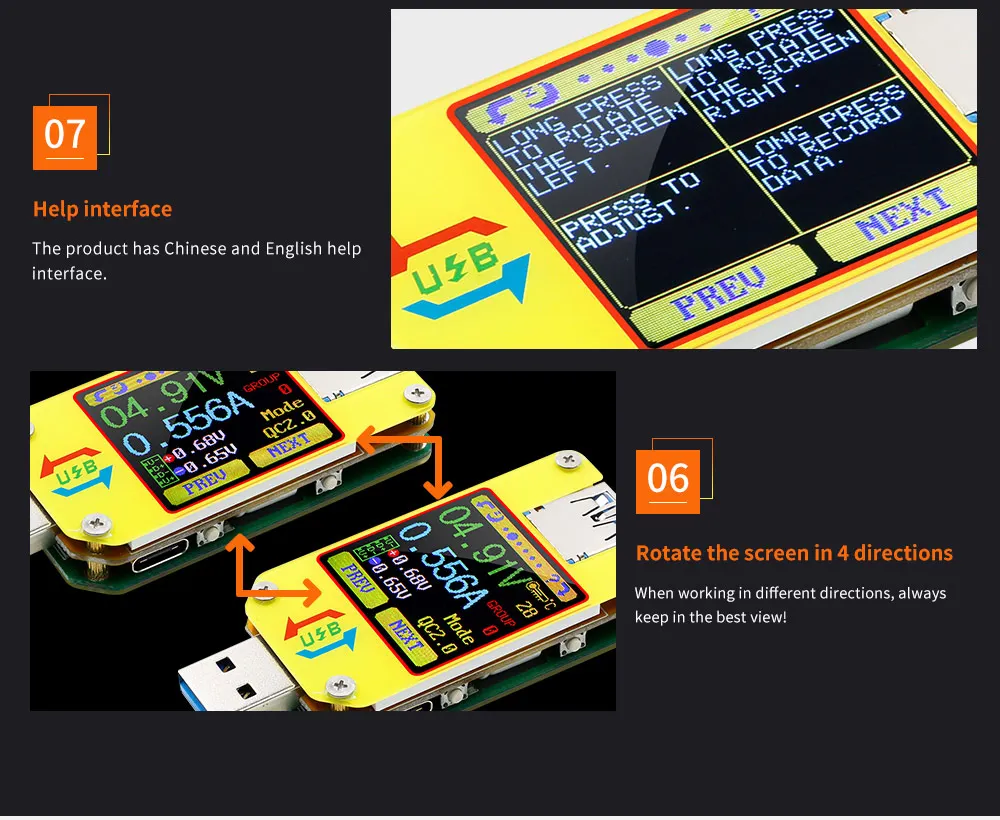
| Data Record and Store | Capacity/Energy Detection |
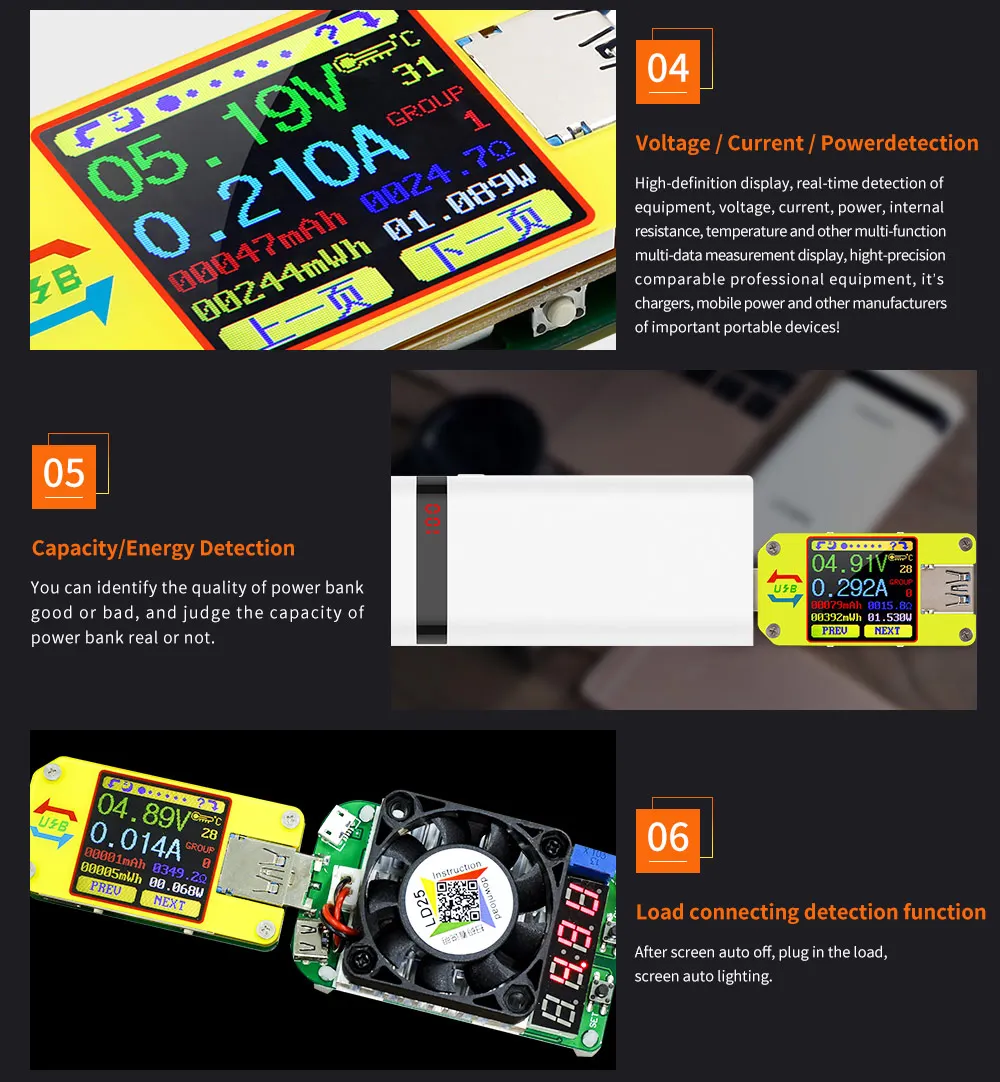
| Rotate the screen in 4 directions | Voltage/Current/Power Detection |
| Differential Voltage Method Measurement Cable Impedance | |
| Load connecting detection function (screen auto off, plug the load, screen auto lighting) | |
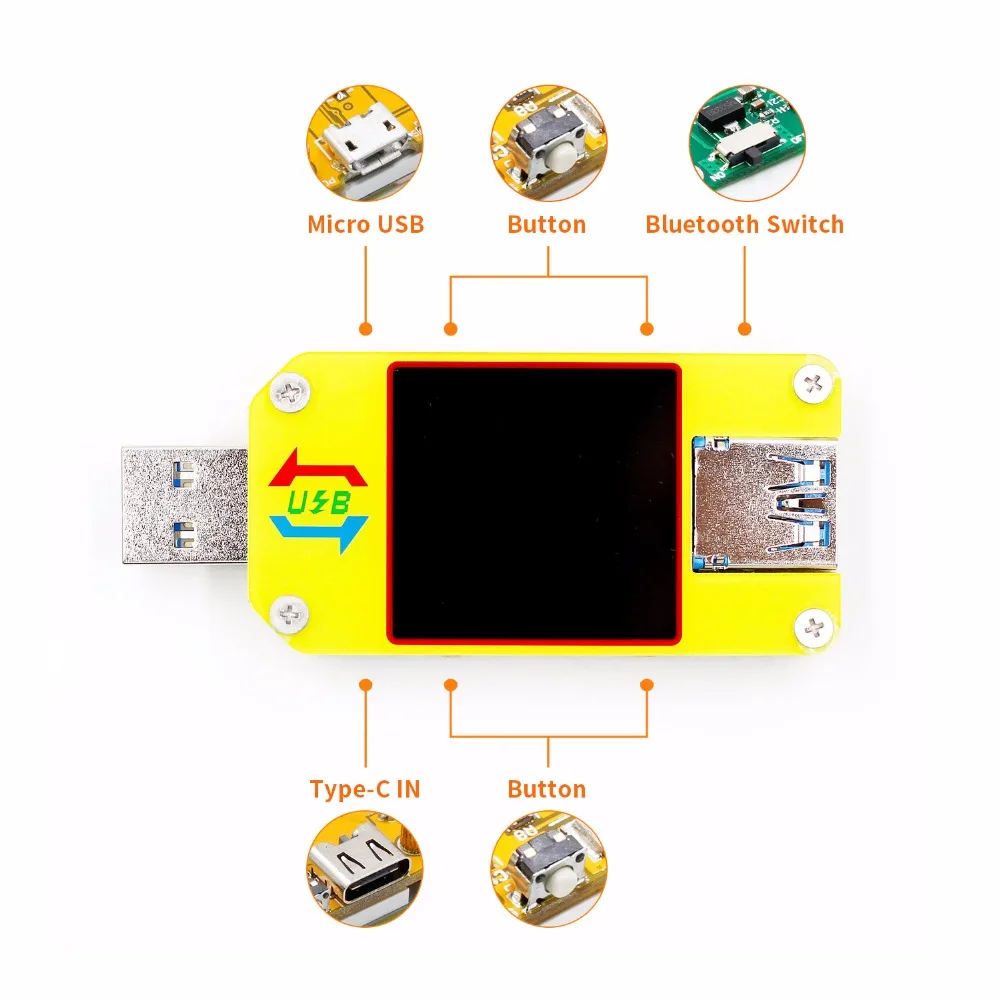
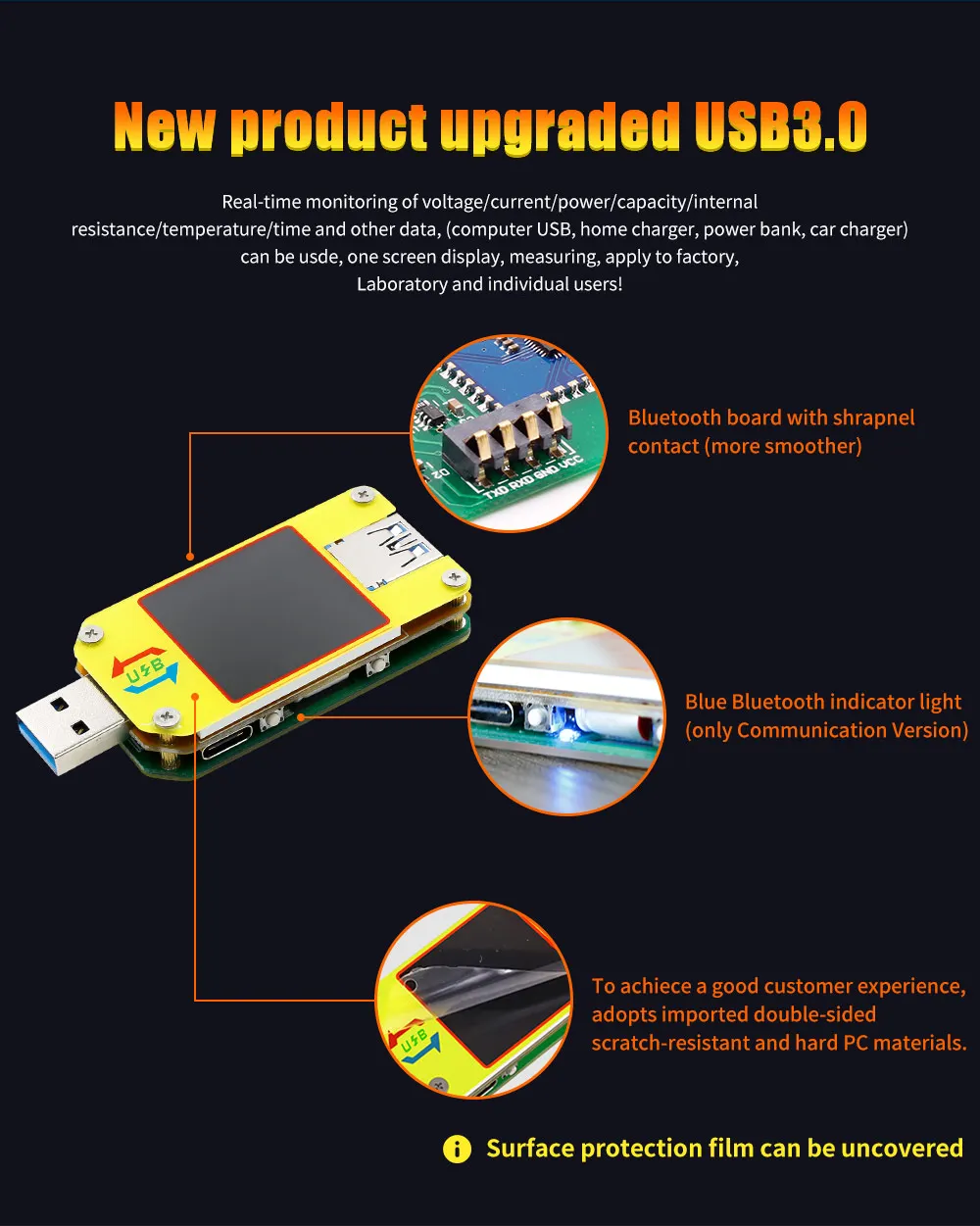
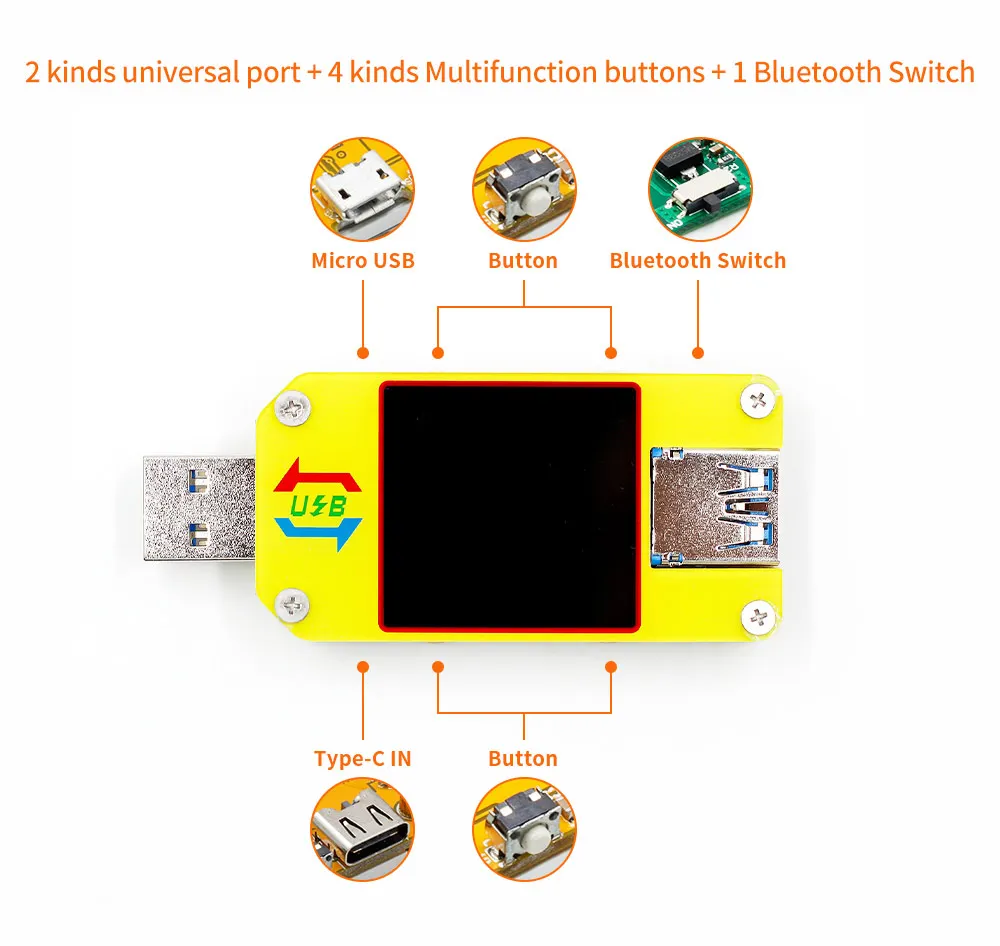
Device Layout
A:Micro USB Port
B:Multifunction buttons (4 pieces)
C:Bluetooth Switch
D:USB 3.0 A Female Port
E:USB 3.0 A Male Port
F:Type-C Input Port (Only VBUS,GND,CC1,CC2 four wires)
F:Type-C Input Port (only for USB to Type-c to measure cable resistance)
G:1.44 Inch Color Screen
H:Bluetooth Indicator: When connected to the host computer control software, the Bluetooth indicator changes from flashing to steady state. When connecting, the Bluetooth icon is displayed on the screen. (Bluetooth communication version only).
Operating Instructions
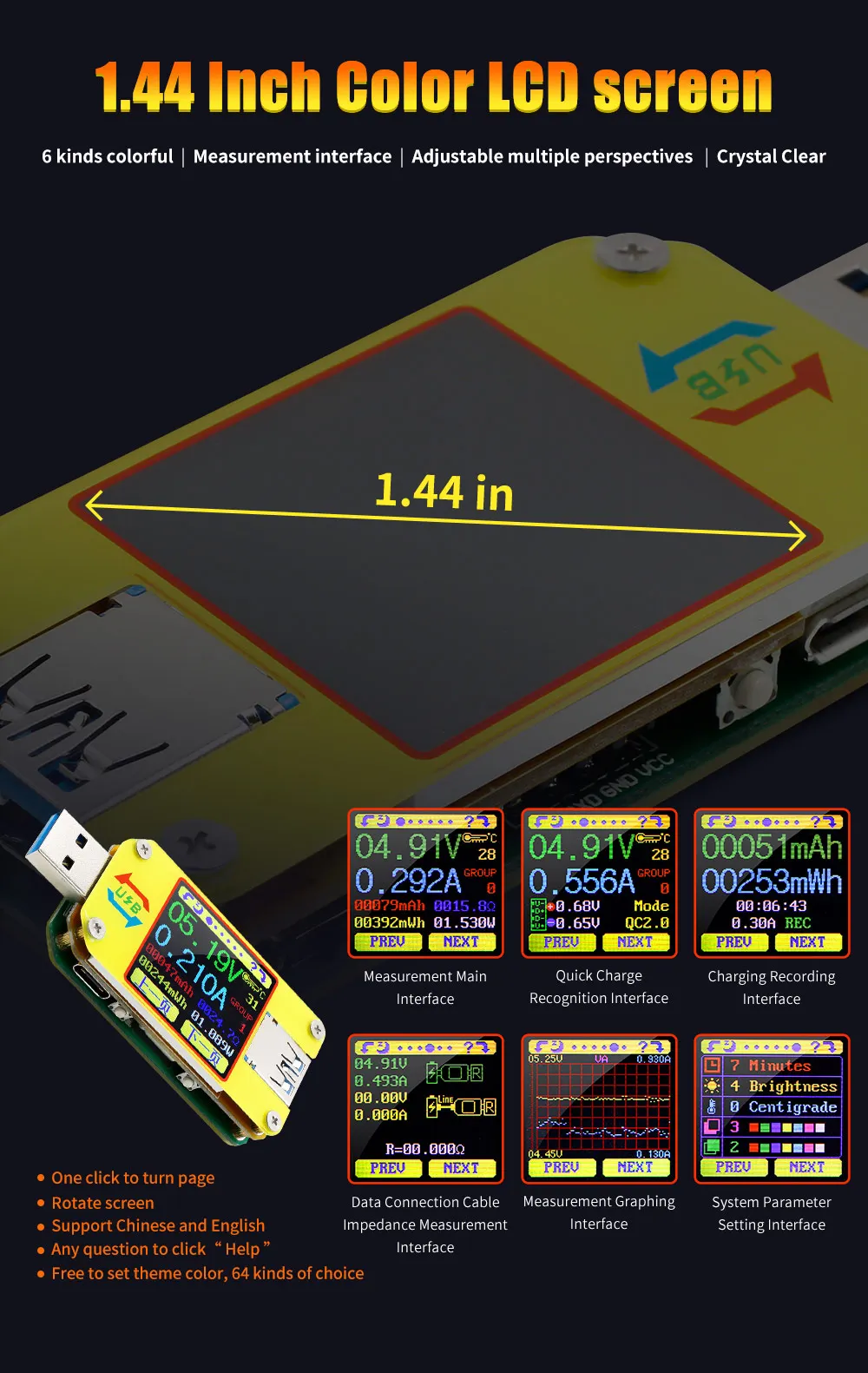
When the unit is first powered on the welcome screen is displayed followed shortly by the main interface screen.
Hidden interface: Pressing any button whilst powering on the module will display four options. Option 1 selects the Chinese Interface and option 2 selects the English interface.
The third option is to reset(after reset, system setting data was restored to the factory setting, all the stored data was not reset), The four option is to zero the Current reading (Ensure there is no load connected to the unit). Release the button at the desired selection. Pressing and holding the button after stepping to the four options will exit the hidden interface.
7:Voltage Measurement
8:Current Measurement
9:Accumulated Capacity
10:Accumulated Energy
11:Temperature Measurement
12:Number of the Data Group in use
13:Load Equivalent Impedance
14:Power Measurement
Press the ' ? ' button to enter the interface as shown above:
Press and hold the 'NEXT' button to switch Data Group. The USB tester can provide a total of 10 groups of data to save and view. These are numbered 0-9.
14:Power Measurement
Press the ' ? ' button to enter the interface as shown above:
With Data Groups 1-9 selected the current mAh and mWh are saved after power off. They will continue accumulating the next time the tester is powered on. When the data group selected is 0 then the current value of mAh and mWh will be temporarily saved at power off. When the device is next powered on these values will be recalled and will begin flashing. When the accumulated mAh exceeds 1 mAh, the previous data will be cleared and accumulation will restart.
With a Data Group selected, press and hold the 'PREV' button to clear the mAh and mWh.
15:D +: (DP) data positive signal level.
16:D-: (DM), data negative signal level.
17:Mode display
The product will automatically identify a device with a supported fast charging mode. At this time the device supports the QC2.0,QC3.0,APPLE 2.4A/2.1A/ 1A/0.5A,Android DCP,SAMSUNG.(Note: This quick charge agreement recognition model is for reference only, because cell phone upgraded quickly, it can't be absolutely accurate identification)
18:Accumulated Capacity
19:Accumulated Energy
20:Time display:The total accumulated recording time.
21:Capacity/Energy statistics trigger current
22:REC:recording status indicator. 'REC' displayed in red indicates that recording is stopped. 'REC' displayed in green indicates that recording is in progress.
After power on, when the current flowing is greater than the Low Current trigger value. The system automatically begins to record the accumulated capacity, energy, and time elapsed. The 'REC' indicator will change from red to green.
To set the Current trigger value, press and hold the "Next" button to highlight the value then press the 'PREV' button to adjust the value as required. The value can be set anywhere between 0.01A- and 0.30A. (10mA to 300mA).
Interface 4: Data Connection Cable Impedance Measurement Interface.
23:USB Tester directly connected to the power supply with Voltage and Current values displayed
24:USB Tester connected via a data connection cable with Voltage and Current values displayed.
25:Data Connection Cable resistance.
Measurement procedure:
First, connect the USB Tester directly to the power supply and adjust the appropriate load current (recommended value 1A) . Press and hold the 'NEXT' button to begin recording data. The indicator prompt will stop flashing .
Second, unplug the USB Tester and then reconnect it to the power supply via the Micro USB/Type-C IN data connection cable and adjust the load current to the same value as in the first step. Press and hold the 'NEXT' button to begin recording data. The indicator prompt stops flashing and the Data Connection Cable resistance measurement test is completed and the value displayed.
Note: If during the second step the screen turns black, this indicates that the voltage difference is too high and the tester will enter the 4V power-down state. You can reduce the current and then re-start the measurement from the first step. After the Data Connection Cable resistance test is completed, the Tester needs to be powered off and then power on again to resume measurement.
Interface 6: System Parameter Setting Interface
26:Auto screen off time
27:Screen brightness
28:Temperature display C /F
29:Theme background color
30:Theme foreground color
Press and hold the "Next" button to enter into setting state, press "NEXT" button to step through the options of auto screen off time, brightness level, temperature display units, theme background color and theme foreground color. Stop on the value you wish to change then press the "PREV" button to change the setting.
For auto screen off time setting press 'PREV' to repeatedly step though the 10 options from 0 to 9 minutes. Default time is 1 minutes.
For the screen brightness setting, press 'PREV' to repeatedly step though the 6 options from 0 to 5 where 0 is the lowest brightness level and 5 is the highest. Default brightness is 4.
For the temperature display units, pressing the 'Next' button toggles the setting between C and F. default temperature unite is C.
For theme background color, press 'PREV' to repeatedly step though the 7 options from 0 to 6 where the color sequence is red, green, blue, yellow, light blue, pink, white and black. Default color is 2, blue.
For theme foreground color, press 'PREV' to repeatedly step though the 7 options from 0 to 6 where the color sequence is red, green, blue, yellow, light blue, pink, white and black. Default color is 6, white.
At any setting state, press and hold the 'Next' button to exit the settings menu.
UM34C Android APP Instruction
1, APP Installation:
NOTE:The APP only support Android 5.0 and above
UM34C Android APP download:http://www.mediafire.com/folder/q2b8h079hpywq/UM34
1.1 APP download link : http://www.mediafire.com/folder/q2b8h079hpywq/UM34, choose UM34C android APP file to download, you can use the computer to download , then sent the phone, or use the phone download directly.
1.2 Open the installation pack
Отзывы о UM34 UM34C for APP USB 3.0 Type-C DC Voltmeter ammeter voltage current meter battery charge measure cable resistance Tester Инструменты
Здесь вы можете оставить свой отзыв о данном товаре.