



%
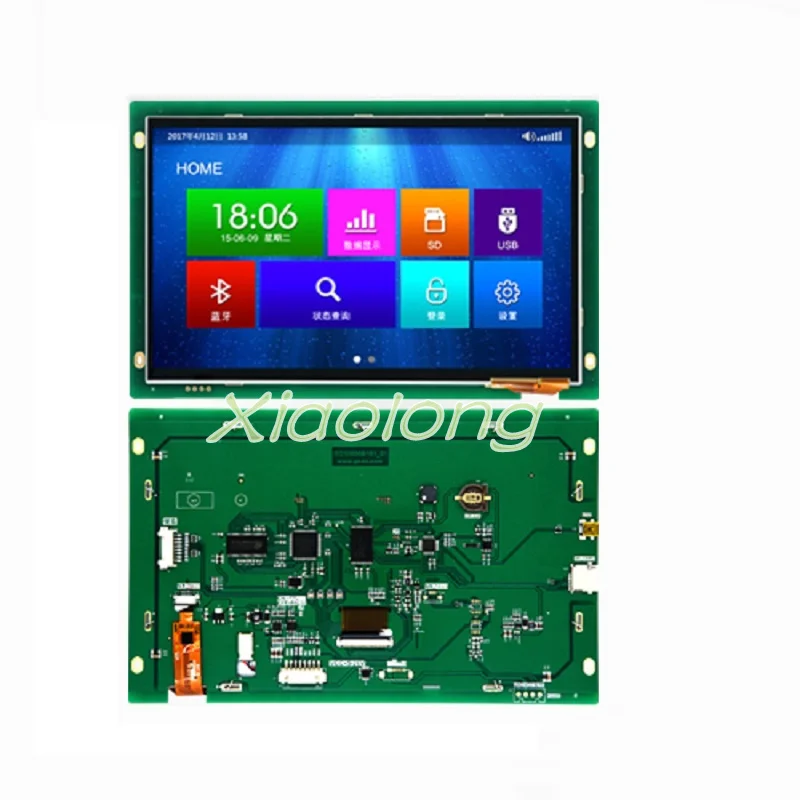
10.1-inch Basic Serial Port Screen Capacitance Touch 1024*600 TFT 1G Memory Configuration/SD/RTC/5V Обустройство дома - купить
Специальная цена *
Категория товара: Замыкатели

История изменения цены
Купить 10.1-inch Basic Serial Port Screen Capacitance Touch 1024*600 TFT 1G Memory Configuration/SD/RTC/5V | Обустройство дома
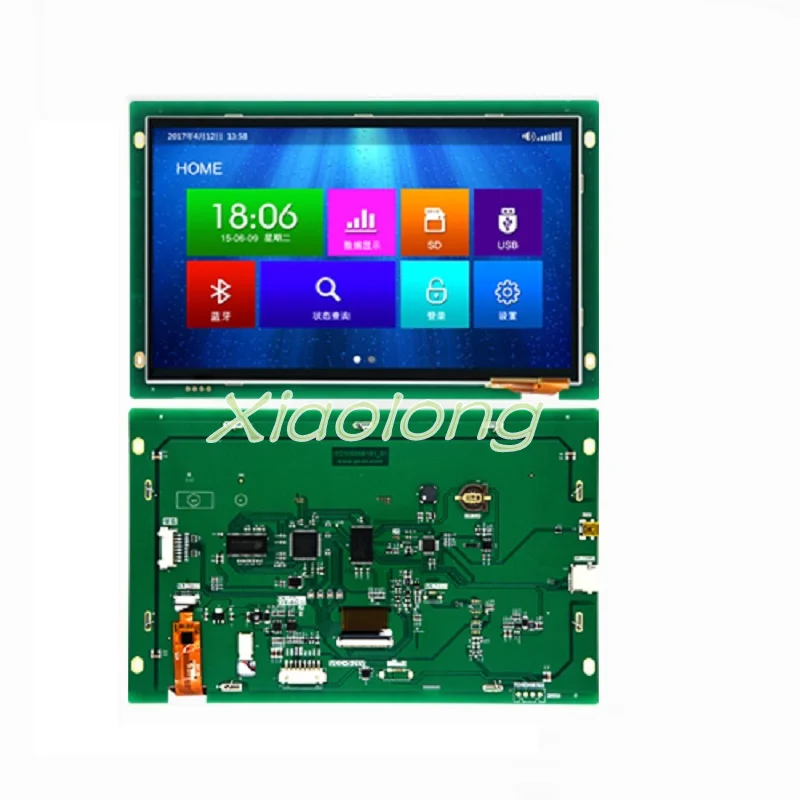
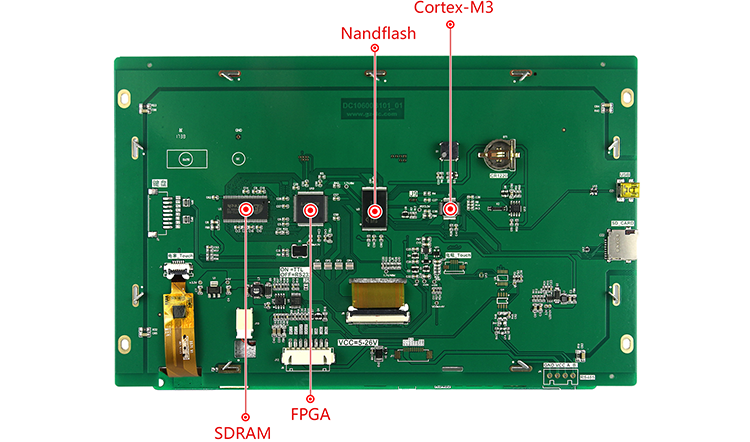
 This series belongs to the hot selling and recommendation products. It locates in the industrial field. It has high cost performance and is suitable for complex and harsh environment. It can learn to operate in 30 minutes. Product model: DC10600B101_01CF_RTC Product Name: 10.1 inch Basic Serial Port Screen Product characteristics: 1024*600, capacitive touch, 5-26V, with RTC _Application: Suitable for outdoor and harsh industrial environment, EMC has superior performance Hardware feature _16-bit true color RGB display (64K color); Built-in standard 8*16, 12*24, 16*32, 32*64 ASCII fonts, 16*16, 24*24 GBK and 32*32, 64*64 GB2312 fonts, users can customize any windows fonts; Support BMP, JPEG, WMF, PNG and GIF image formats download; _Supports text, pictures, GIF animation and GUI display at any location; Has a variety of configuration controls: button control, text control, drop-down control, progress bar control, instrument control, curve control, slider control, selection control, icon control, animation control, clock control and two-dimensional code control; The system has built-in virtual keyboard, which supports Chinese and English input method and can customize the system keyboard. _Supports the operation of internal instructions without the participation of user MCU, realizes the mutual exclusion of buttons, text display and so on. _Support left and right sliding and up and down switching screen; _Support custom button output instructions; _baud rate setting range 1200-2Mbps; _255 level backlight adjustment and automatic screen saver mode; Support SD card on-site upgrade and off-line mass production function; _The above functions meet 99.5% of the customer project development needs; Product Architecture / Product Architecture The main advantages of choosing "Cortex-M3+FPGA" dual-core architecture are: (1) FPGA is a programmable logic device with high main frequency and parallel processing of internal instructions, which can easily drive TFT with 1440*900 resolution and refresh fast; (2) pure hardware driver, the whole system has no operating system or OS, and it runs on power for 24*7*365h continuously, and it can work reliably without garbage redundant files; (3) It can drive TFT with 1440*900 resolution. The core components are conventional devices, which have been in stock for more than 10 years. Cortex-M3 is basically idle when the system is receiving no instructions. All heavy load data reading and display refresh work is accomplished by pure hardware of FPGA. This architecture ensures the robustness and anti-jamming performance of the system to some extent. Because the parallel processing mechanism is adopted in the internal of the FPGA, data reading of Nandflash, writing of SDRAM and output of RGB data are all executed in the same clock rhythm, which ensures the fast updating speed and response time of the system pictures. The following picture is a PCB physical picture of 10.1 Inch Basic serial screen DC10600B101_01CF_RTC. There are 4.7K bytes of instruction buffer in the device. The host can exit the serial program without waiting and sending several instructions continuously. The whole process is simple to operate and the amount of program code is greatly reduced.
  Product model DC10600B101_01CF_RTC (Capacitive Touch) Product line Basic type Core Processor* Cortex-M3+High Speed FPGA, Dual Core Processor operating system No Operating System, Operating on Power, Pure Hardware Display Driver of FPGA Protocol type Large Colour Configuration Instruction Set (Partially Upgradable Compatible with MODBUS/Mitsubishi/DGUS) size 10.1 inches Resolving power 1024*600 storage space 1Gbit Font library Built-in 10MB font library, including any size dot matrix ASCII, GBK, GB2312, UNICODE font library, you can customize any computer font display Picture storage Supports any size of picture storage, accumulating about 85 full-screen pictures. colour 65K color, 16 bit RGB Voltage 5-26V (error (+0.2V) Power waste Backlight is brightest: 724mA@5V; turn off backlight: 195mA@5V communication interface RS232/TTL (default 232 level) Interface specification XH2.54-8P Picture download Support USB/SD card/UART download, research and development recommendation USB download, production recommendation SD Download External keyboard Support Extended 4*4 Matrix Keyboard (default not welded) Real Time Clock (RTC) Support countdown, timer, year, month, day and other time display Screen active display area (AA) Length * width = 223.7mm * 126.3mm Product size Length x width x height = 257.8mm x 162.2mm x 16.9mm Supporting PC Software VisualTFT AV input I won't support it sound playback I won't support it Video playback I won't support it Ethernet I won't support it WIFI I won't support it _Core Competitiveness of Products Learning cycle Familiar with development environment in 30 minutes and complete human-computer interaction design in 3 days Program debugging The host computer integrates "virtual serial interface screen" without hardware connection, and directly binds and debugs Keil IDE with it. Startup time Running on power, no system load time Configuration control Has buttons, text, drop-down menu, progress bar, slider, instrument, animation, two-dimensional code, curve, data record, circular progress bar and other configuration controls System keyboard Built-in virtual numeral and character keyboard, support Chinese and English input method, can customize the keyboard data record Support Data Recording Control Content Export to SD Card Remote upgrade Support remote upgrade of screen firmware or engineering picture by user host Information push Some models support cloud push video or advertising display, or mobile app and screen communication display Layer technology System built-in multiple display layers, faster switching speed Multilingual function The factory can preset up to 10 languages of any country in the world, switch the required languages with one button, and no need for more than one set of Arts and crafts. Logical Operational Processing MiniC compiler is embedded in the host computer, which supports logic operation in C language (only MODBUS protocol version supports), and Lua script compiler support (full series) reliability Products have passed the industry standard high and low temperature, ESD, group pulse and radiation testing. life cycle Using traditional big brand processors, we have been in constant supply for many years. LCD Display Display type TFT LCD screen Backlight tube LED Brightness (cd/m) Two hundred Backlight Lifetime (h) >20000 contrast ratio 600:1 Perspective (L/R/T/B) 70/70/70/50 _Touch panel Touch type: Capacitance Touch Screen Touch mode: Single point, sliding touch Transmittance: More than 90% Touch times Theoretical infinite number and touch life are related to working environment (dust, humidity) _Environment and Certification working temperature -20 ~ +70 C Storage temperature -30 ~ +80 C Vibration test: 10 to 25 Hz (X, Y, Z direction 2G 30 minutes) ESD test Air=+8KV, Contact=+4KV. High and Low Temperature Testing Operating temperature: 60 +3 72H/-10 +3 72H; Operating humidity: 50 +3 90%+3% RH 72H Authentication ROHS, CE certification
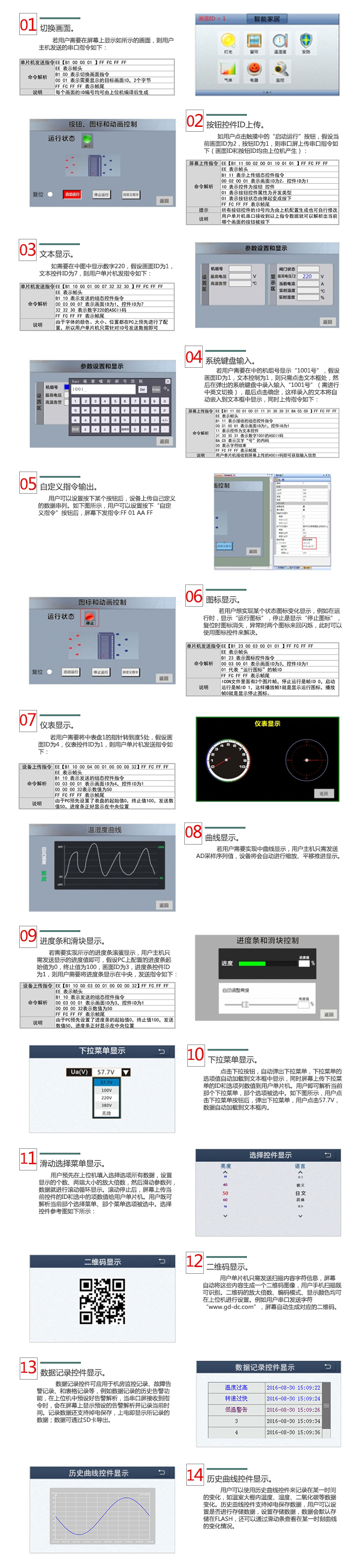
  1. Button control Configuration of all buttons in the engineering screen by Visual TFT software on PC can realize screen switching, button pressing or popping up, button mutually exclusive and custom instruction output without user program participation. If any button in the screen is pressed or popped up, the ID and status value of the button will be uploaded to the user, and the user MCU receives serial instruction and parses it. Judge the action of the current button. 2. Text control Users set the display coordinates, colors, fonts and background colors of the text in the screen through the upper computer in advance. These text attributes will be downloaded to the screen configuration file along with the picture. Then the user MCU can complete the display by sending character data to the corresponding text ID. 3. Animation Control Users can control GIF animation playback, stop, pause, up and down frames and designated frames at any time. 4. Icon Control Users can switch and display different state diagrams at the same position of the screen, such as heating, refrigeration status icon switching, mobile phone power change, device WIFI signal strength, circular progress display and so on. 5. Curve Control User MCU only needs to send AD sampled HEX data, and the screen will be automatically fitted. The front and back of the screen will be moved forward and displayed, without the participation of MCU. It can also magnify or shrink the AD sampled data, and then display it on the screen. 6. Instrument Control By setting the dashboard in advance by the upper computer, the user can realize the pointer rotation only by sending the corresponding values. If the dial scale ranges from 0 to 180, the user only needs to send a value of 90, and the pointer will automatically go to the 90 scale. 7. Progress Bar Control By setting the orientation, starting value, ending value, foreground and background figure of progress bar in advance, users can increase or decrease the progress bar by sending corresponding display values. 8. Slider control By setting the parameters of the slider's cursor size, scale value, start value, termination value and background map in advance, when the user drags the cursor or clicks on a scale, the device will immediately upload the position value of the current cursor. 9. Dropdown menu control By setting the position, menu options and corresponding mapping text control ID of the drop-down menu in advance, the user clicks the drop-down icon, automatically pops up the menu options, and clicks the required menu items. At this time, the menu data is automatically entered into the text box, and the menu control ID and menu option values are uploaded on the screen. 10. RTC clock control By pre-setting the screen time display size, position and mode (countdown, countdown), users download the project to the screen, the screen automatically starts to display time, and can also send corresponding instructions to start the function of timing or countdown. 11. Sliding Selection Control The sliding selection control effects are similar to the time settings of smartphones. Users fill in all the data in advance through the host computer, and then set the selected and unchecked colors, so that sliding up and down can achieve the effect of data rolling selection. The selected data will upload the corresponding ID and option values to the user MCU. 12. Two-Dimensional Code Control User MCU sends text information to the screen directly through serial port, and the screen automatically draws a two-dimensional code image. The user's mobile phone scans the code chart to display the input information. The size and algorithm of the two-dimensional code can be set on the upper computer. 13. Virtual keyboard and input method The host computer pre-set the pop-up keyboard at a certain position of the screen. After clicking on the area, the system will automatically pop up the built-in keyboard. After the user chooses the input method of Chinese and English, Click to confirm, and all the characters input are uploaded to the single chip computer by ASCII code or Chinese character encoding. Only 3 steps, 30 minutes to master human-machine development, simple and easy to use! Users only need three steps to complete complex human-computer interaction design in 30 minutes. 1. Preparing artistic materials. Arrange the artists to design the pictures needed for the boot screen, text background, button icons and prompt boxes. 2. Use the supporting Visual TFT software to edit pictures, configure controls and download pictures. Firstly, Visual TFT software is used to compose the interface and configure the control of the pre-designed artistic pictures. Then the virtual serial screen is run for simulation. Finally, the whole project is downloaded to the internal memory of the serial screen through USB/SD/UART. PC software assigns a unique ID number to every screen, picture and control in the project. 3. User MCU monitors and sends the corresponding serial command control screen display. When the project is downloaded to the screen, once a button is pressed on the screen, the user MCU serial port will receive the button ID information or coordinate values uploaded on the screen. By parsing the ID number, the user can get the screen position and function attributes of the current button, so as to control the action of related peripheral devices or screen update display. For touch-free products, the user MCU does not need to listen to the information uploaded by the button ID, but only sends relevant instructions for screen switching and text picture display.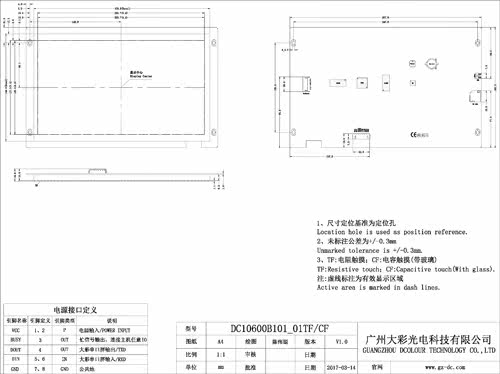
Отзывы о 10.1-inch Basic Serial Port Screen Capacitance Touch 1024*600 TFT 1G Memory Configuration/SD/RTC/5V Обустройство дома
Здесь вы можете оставить свой отзыв о данном товаре.
Отзывы ( 0 )
Сначала новые
Сначала старые
Сначала лучшие
Отправить
Загрузить
Ссылка
Сообщение:
Загрузить
Ссылка
ССЫЛКА НА ИЗОБРАЖЕНИЕ
Загружено по ссылке